
Different AI tools handle photos in fundamentally different ways. The core difference is how their algorithm is built. This determines what it can fix. Some tools run a sequence of steps. Others do one quick pass. A third type uses separate modules, and a fourth uses one unified process.
These structural differences explain why tools produce different results. The right choice depends on how your photo is damaged.
1. Renew Photo
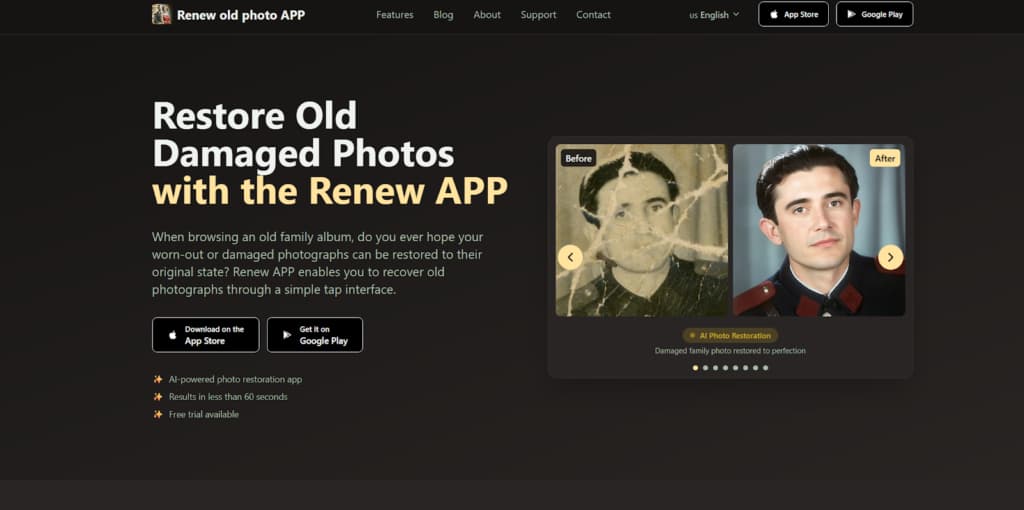
Renew Photo uses a multi-stage restoration pipeline. It fixes a photo in several consecutive steps. First, it might repair scratches. Then, it corrects color based on the cleaned-up image. Finally, it sharpens the new details. This structure lets the system coordinate multiple repairs that simpler models cannot link together. The output of each step directly informs the next.
Core Architectural Characteristics
The process is strictly ordered. One type of damage is fixed before the system moves on to another. Later corrections use the results from earlier stages. This pipeline architecture is defined by several structural properties:
- Damage types processed in a fixed sequence;
- Later stages adjusted based on earlier corrections;
- Structural reconstruction performed before color and tonal refinement;
- Interaction between different defects analyzed.
This deep approach allows the tool to fill in damaged areas and rebuild lost details. A trade-off is that original textures, like film grain, can sometimes get smoothed over in the process.
2. RetroFix

RetroFix is a mobile tool for fast enhancement. It applies all its corrections in one single pass. There are no separate stages for scratches, color, or sharpness. Everything is adjusted at once. This design makes it very fast but limits its ability to tackle complex, layered damage. It’s built for quick visual improvement.
Core Architectural Characteristics
The algorithm doesn’t break the job into parts. Contrast, color, and clarity are all boosted simultaneously. There’s no internal feedback loop. This single-pass architecture is characterized by:
- All corrections applied in one unified operation;
- No dependency between different repair functions;
- A focus on global enhancement over local reconstruction;
- Processing optimized for speed, not deep analysis.
This model is effective for mild, overall issues like slight fading or soft focus. It cannot properly handle a photo that is both torn and faded, as it doesn’t sequence those repairs.
3. VanceAI

VanceAI is a modular online system. It offers separate AI tools for specific jobs, like a scratch remover and a colorizer. You can use these modules independently or together. The modules work separately; the colorizer doesn’t automatically know what the scratch tool did unless you run them in order. This provides flexibility but not automated coordination.
Core Architectural Characteristics
Each module is a standalone function. You choose which to apply, creating your own simple workflow. The system doesn’t enforce a strict sequence. This modular system is defined by:
- Independent AI modules for specific defect types;
- The option to combine functions in a custom workflow;
- Limited automatic coordination between modules;
- A balanced level of processing without a rigid order.
This setup gives you control for tackling distinct problems. Results can be less consistent when defects overlap, because the modules aren’t deeply connected.
4. Picsart AI

Picsart AI uses one integrated AI model. It handles noise, color, and sharpness all at the same time in a single process. The tool looks at the whole image and applies a balanced set of improvements for a cleaner, brighter look. It creates a uniformly enhanced version with a consistent style.
Core Architectural Characteristics
A single algorithm does everything. It doesn’t have specialized sub-tools for different defects. The adjustments are interconnected and applied globally. This integrated enhancement engine is characterized by:
- One AI model processing all aspects simultaneously;
- Global image analysis instead of targeted modules;
- Unified visual optimization over step-by-step repair;
- A consistent output style across various photos.
This method is for overall aesthetic improvement. It makes a photo look clearer and more vibrant but won’t specifically reconstruct a torn corner or a large missing piece.
Architectural Differences Between These Four Systems
The four tools represent very different processing designs. Their structure dictates what they can do. Choosing the wrong one often leads to poor results. The four tools represent distinct processing architectures:
- A sequential multi-stage pipeline;
- A single-pass enhancement model;
- A modular AI correction system;
- An integrated global enhancement engine.
The pipeline actively rewrites the image data through connected steps. It’s necessary for complex damage but can over-process simple photos. The single-pass model just applies a layer of adjustments. It’s only good for mild, uniform issues. Modular systems let you target specific problems but may give patchy results. Integrated engines deliver a predictable, all-over polish. Match the tool’s design to your photo’s problem.
How Algorithms Handle Missing Visual Information
When parts of a photo are heavily damaged, faded, or physically missing, restoration tools must estimate what should replace that lost data. This is where processing architecture becomes especially important. Different systems make these decisions in very different ways depending on how deeply they analyze the image.
The more structural the processing, the more the algorithm tries to reconstruct, not just enhance. These differences affect realism, texture preservation, and how natural the final image looks. Key technical differences appear in how tools treat uncertain or incomplete visual areas:
- Reconstruction based on surrounding pixel patterns;
- Gradual refinement of estimated details across processing stages;
- Preservation or suppression of natural textures like film grain;
- Degree of algorithmic “guesswork” introduced into missing regions.
These behaviors directly influence whether the output looks faithfully restored or noticeably artificial. Understanding this helps set realistic expectations before choosing a tool.
Final Technical Summary
Pick a tool based on its design alignment with your photo’s damage. Use Renew Photo’s pipeline for severe, multi-layered decay. Use RetroFix’s single-pass for quick touch-ups on mild flaws. Use VanceAI’s modular system for controlled fixes on specific, moderate defects. Use Picsart’s integrated engine for automatic, overall visual refinement.
The underlying architecture controls everything. It determines how much the image is changed and what kind of damage gets fixed. Ignoring this leads to suboptimal results. For a technically sound outcome, match the processing structure to the complexity of your photograph.